




Logmaster Logo
DriverRecord KeeperBusiness OwnerProductsIntegrationsTraining and GuidesAbout UsFind Providers

Electronic work diary solution built for Australian transport requirements

Swap the paper diary for an NHVR approved EWD that records to the minute, works without signal and sends your log sheets to the office each week. Made for drivers and the people who schedule them.
Ask For InfoBook a Demo
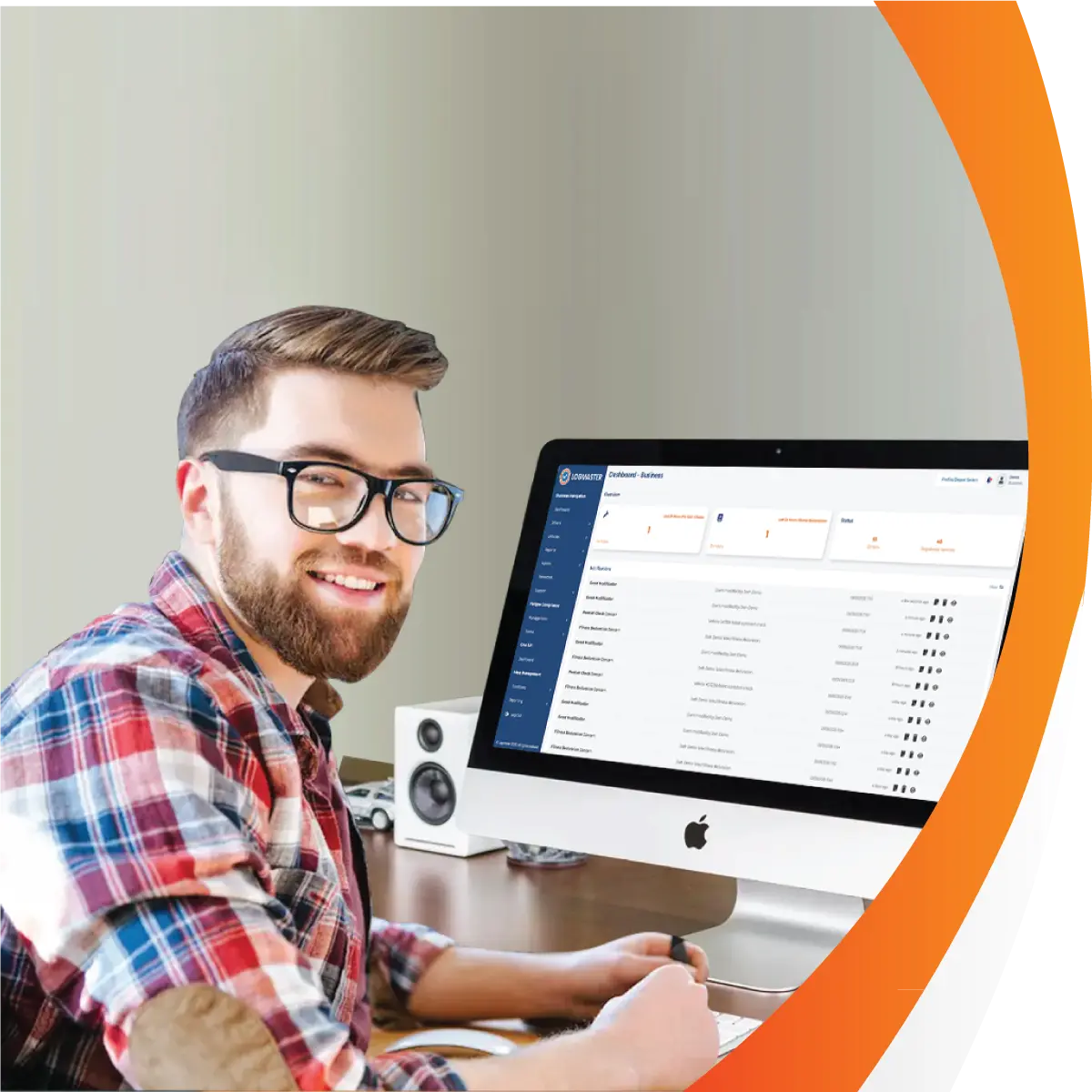
Man working on Logmaster app

TRUSTED BY MORE THAN 10,000 DRIVERS

logmaster supplychainpartners
HHTS logo
AfMA logo
logo
transport 1
HVIA logo

What Is the Best Electronic Work Diary in Australia?

The best electronic work diary for Australian operators is one the NHVR has approved, that drivers find easy to use and that gives the office live visibility of work and rest.

It should also keep recording without mobile signal, support the fatigue rules you actually work under and come with proper support and training for drivers and record keepers.

Logmaster is an NHVR approved EWD built for Australian transport, including the WA fatigue plans many national fleets need.
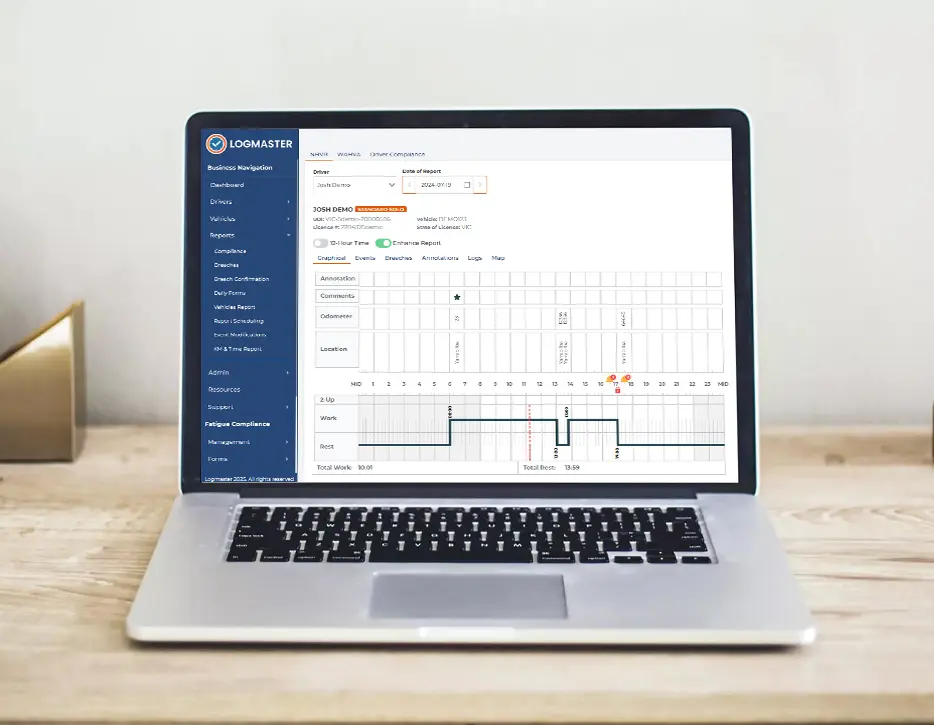
Logmaster web portal open on a laptop

What to Look for in an EWD

The real test of an EWD is whether drivers keep using it after the first week. Logmaster was shaped by driver feedback, so the screens are plain and the reminders arrive when they're useful.
Minute-by-minute logging icon

Accurate to the minute

Ask any EWD how it rounds. Logmaster doesn't round at all, recording every entry to the exact minute.
Less paperwork icon

Done in a few taps

Check how many taps a normal entry takes. In Logmaster it's a couple, and log sheets reach the office with no drop-off.
Fatigue breach alert icon

Warnings before a breach

A good EWD warns you before trouble, not after. Logmaster sends a heads-up as a break comes due and keeps your time remaining in view.
Offline mode icon

Offline when you need it

Test any EWD on a route with no coverage. Logmaster keeps recording offline, holds entries on the device and syncs them once signal is back.
Drivers icon

Handles multi‑company drivers

Contractors who drive for several businesses can keep one app and send log sheets to each company they work for.

What Record Keepers Should Expect

Logmaster gives record keepers and schedulers a live picture of work and rest across the fleet, so you can show the reasonable steps the HVNL expects of you.

Live status, not weekly paper

Look for a portal that puts potential breaches at the top. Logmaster's does, so you can deal with them early.

Logs and forms together

A strong EWD keeps diary entries, pre-start checks and fitness declarations in one secure system, so preparing for an audit doesn't start with a search through boxes.

Problems flagged on the day

Issues show up as alerts while the shift is still running, instead of in an audit months down the track.

Smarter scheduling

Seeing each driver's upcoming limits makes job allocation quicker and cuts delays caused by drivers running out of time.

Less time training

Training time matters when you compare EWDs. With Logmaster, drivers learn a handful of steps and the app does the rest.

Use your own device

Some EWDs need fitted hardware. Logmaster's approval is device agnostic, so ordinary Apple and Android devices do the job.

Electronic Work Diary vs Paper Logbook

Paper or electronic? Here's how they compare.
Electronic Work Diary
Paper Logbook
One minute accuracy
Fifteen minute blocks
Automatic syncing
Manual entries
Easy to read and access
Handwriting varies
Real time operator visibility
No live oversight
Secure cloud storage
Can be lost or damaged
Faster audits and reporting
Time consuming
An electronic record is easier to check, and it can't be left behind in a truck.
Book a Demo

What Switching Looks Like

Moving to Logmaster takes a few steps on each side.
Step 1

Install the app

Download the app to a supported device and complete the setup with your company's details.
Step 2

Checks and declarations

Start each shift with the pre-start check and fitness declaration in the app, so the routine is identical whichever truck you're in.
Step 3

Log as you go

Tap to start work or rest. Each entry gets a timestamp, and the totals update for you.
Step 4

Stays in sync

Background syncing keeps the record keeper's copy current without any action from the driver.
Step 5

Record keeper portal

Record keepers use the web portal to read logs as they arrive and keep an eye on potential breaches.
Step 6

Reports on demand

Ask how quickly an EWD produces a driver's week for an auditor. In Logmaster, it's a few clicks.

Features at a Glance

1. Accurate one minute recording
2. Offline functionality for uninterrupted use
3. Live visibility for fleet managers
4. Fatigue reminders and breach alerts
5. Driver declarations and vehicle checks
6. Secure cloud storage
7. Multi company support for contractors
8. Fast export for audits and reporting
9. Fatigue rule sets including Standard Hours, BFM, AFM, WA plans and bus rules
Book a Demo
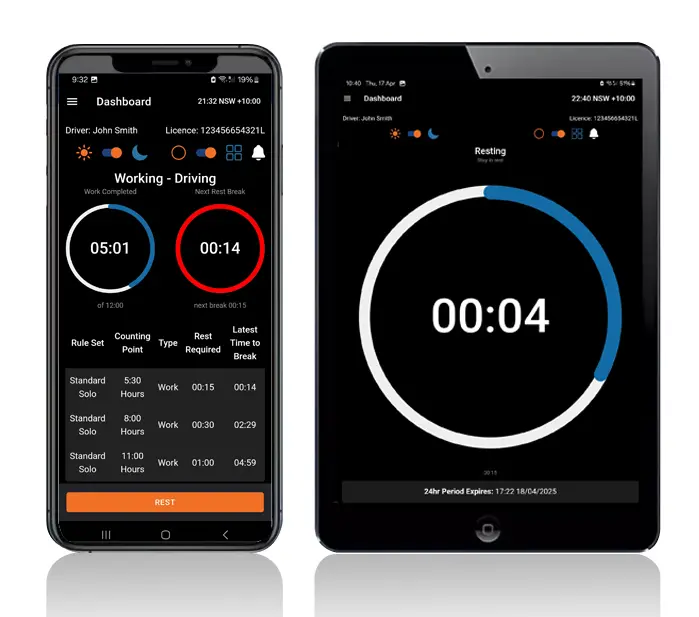
Logmaster app on a phone and tablet

Made for the Whole Team

A good EWD serves each role in the business, and Logmaster has a view for each.
User Type
Benefit
Truck drivers
Easier logging and clear alerts
Transport operators
Real time visibility and compliance
Compliance managers
Reliable logs for inspections
Owner drivers
No paperwork and simple routines
Subcontractors
Easy switching between employers
With one shared record, disputes about who worked when are settled quickly.

Who Already Uses Logmaster

If references matter in your decision, Logmaster is used by more than 10,000 drivers, including fleets such as PFD Food Services, Cleanaway and Greyhound Australia. It was designed with input from operators, compliance managers, schedulers and drivers, who asked for visibility and control rather than a digital copy of the paper diary. Logmaster is NHVR approved and ISO 27001 certified, two things worth checking on any shortlist.
Book a Demo
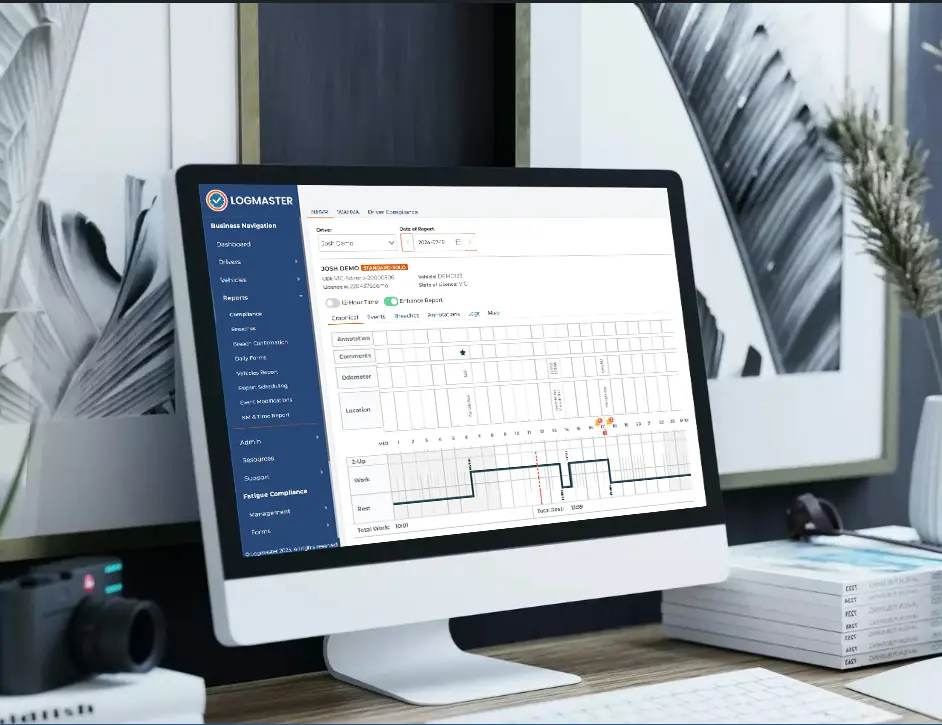
Logmaster dashboard on a desktop screen

Hear from Our Users

Ray A.

First day with Logmaster was to my surprise was user friendly. Josh was very thorough in taking me through all the steps in setting up the Logmaster app. I would recommend Logmaster to all drivers regardless of age. Never have to worry about making a mistake as it tells you if you are. Great customer service after hours support is second to none.

Mike H.

Have started using Logmaster after trying 3 other models. I actually enjoy using it. Very easy to use and follow and the help if you need it is top notch by the developer. Does everything by the minute and works when no service is available. My system is customised for me and fits well with my system (I’m WA). Cost is on par with two of the other ones looked at.

Frequently Asked Questions

Put Logmaster on Your Shortlist

Book a demo and compare Logmaster against your own checklist, with drivers and record keepers in the room. It's NHVR approved, counts to the minute, works offline and supports Standard Hours and existing BFM or AFM accreditations.

Book a Demo

Download / Updating the app

Get it on Google PlayDownload on the App Store

Support

TRAINING CENTREFREQUENT QUESTIONSPRICING INFORMATION

Resources

Work & Rest RulesFor AuditorsFAQDownload Transport Compliance System BrochureArticles & MediaReseller ResourcesNHVR CertificationISO 27001 CertificationReleasesInvestorsBranded Device BackgroundsJoin Mailing List

Contact us

Level 1/63-73 Ann St, Surry Hills NSW 2010

New Enquiries
(02) 7228 6269
Support and Training
(02) 7228 6266
[email protected]LogmasterISO/IEC 27001 certified