Logmaster Logo
DriverRecord KeeperBusiness OwnerProductsIntegrationsTraining and GuidesAbout UsFind Providers
Man working on Logmaster appFleet_Management_Software_Australia_Mobile

Heavy Vehicle Safety Management Systems

Logmaster gives heavy vehicle operators the records and controls that sit behind a safety management system, from driver hours and fatigue alerts to pre-start checks and incident reports. The work diary inside it holds NHVR approval, and the platform runs on everyday Android and Apple devices.
Ask For InfoBook a Demo

A Safety Management System Has to Show It Works

Under the Heavy Vehicle National Law (HVNL), written procedures only go so far. Operators need to show their controls are followed day to day, and that takes reliable records. That's the part Logmaster handles.
Logmaster-Australia-Truck
Works_with_or_without_signal

Logmaster: The Records Behind Your Safety Management System

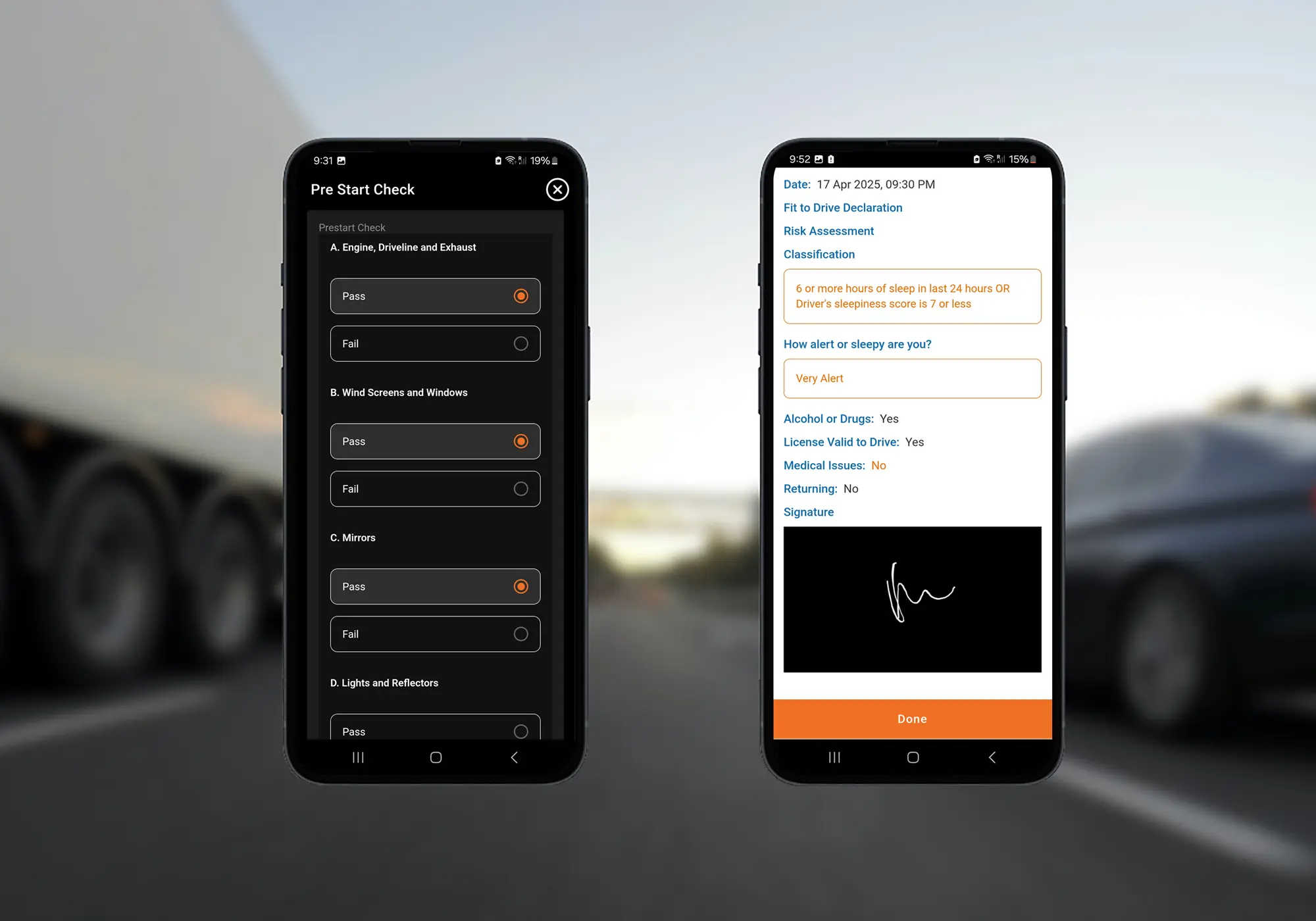
A safety management system is only as good as the records behind it. Logmaster supplies those records: an NHVR approved Electronic Work Diary (EWD) for driver hours, plus the checks, declarations and incident reports that show each control in action. Customisable checklists cover pre-starts, vehicle checks, defects, incidents, hazards and infringements, and the answers on a form can trigger responsibilities for someone in the business to act on. It runs on Android and Apple phones or tablets, with mounted tablets available from Logmaster for fleets that want a dedicated device.
Book a Demo

Controls Your System Can Prove

clock

Fatigue Controls Based on Exact Time

Fatigue limits only work if the hours are right. Logmaster records each minute of work and rest instead of rounding to 15-minute blocks, so the control is measured accurately.
Visibility

Fatigue Risks Flagged While They Can Be Fixed

Alerts reach the office during the shift when a driver nears a limit, so the fatigue control in your system is applied on the day it matters.
Records

Evidence That Your Controls Were Followed

Hours, checks, defects and declarations are stored with times attached, which gives an auditor proof that procedures happened rather than a document saying they should.
Mobile Coverage

No Gaps When the Signal Drops

Records keep building in remote areas. Entries are held on the device and uploaded later, so the evidence trail doesn't break in a coverage black spot.
Paperwork

Safety Forms Without the Filing

Pre-starts, hazard reports and fitness declarations are completed on a screen, arrive with the office straight away and can be exported as PDFs when needed.
Supports

Contractors Inside the Same System

Sub-contractors and drivers who work for several operators log in the same app, so the people outside your payroll are still covered by your safety records.

Where Each Role Fits in the System

Heavy Vehicle

Heavy Vehicle Drivers

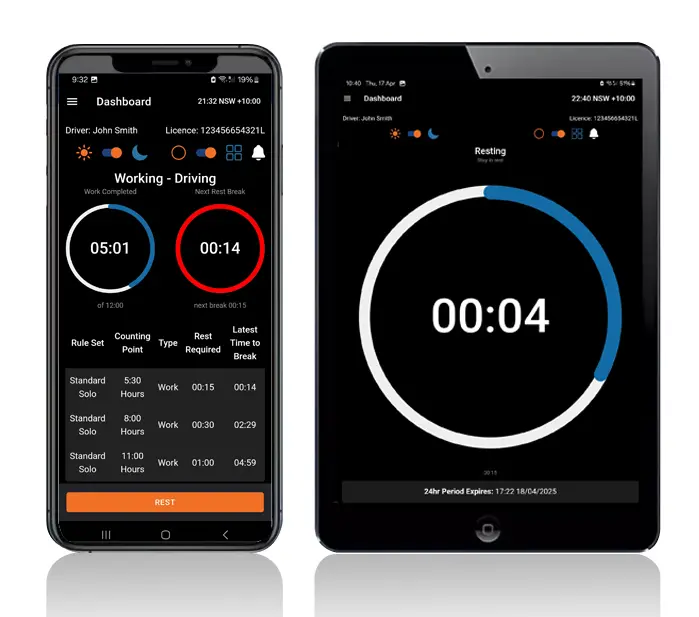
Drivers do their part from the cab: tap to log work and rest, answer the pre-start checklist and report a hazard or incident when it happens.
Record Keepers

Fleet Managers and Record Keepers

Safety and compliance staff use the web portal to review alerts, follow up defects and incident reports, and keep an eye on expiring licences, registrations, medicals and inductions.
Transport Business Owners

Transport Business Owners

Owners can show how the system works in practice, with time-ordered records that support the reasonable steps expected under Chain of Responsibility.

Relied On by Operators Large and Small

More than 1,200 transport businesses run their driver records through Logmaster, from single trucks to fleets like Cleanaway. The platform is ISO 27001 certified, and its EWD is used by over 10,000 drivers, including those working under WA's own fatigue laws.
Logmaster-Australia-Mobile-Digital-Forms

Connecting Logmaster to Your System

Logmaster-Australia-Mobile-and-Tablet-Dashboard
Create your account at logmaster.com.au, or speak to the team about which checklists and forms your system needs.
Put the app on your drivers' Android or Apple devices, or order tablets and mounts for a dedicated in-cab setup.
Drivers complete their profile and first declaration, then start recording work, rest and checks.
Safety staff set up checklists and alerts in the web portal and see results as drivers submit them.
Weekly log sheets and every form submitted stay on file, ready for your next internal review or external audit.
Book a Demo

Frequently Asked Questions

Ready to Strengthen Your Safety Records?

Book a demo and see how Logmaster turns everyday driver activity into the records your safety management system needs.
Book a Demo

Download / Updating the app

Get it on Google PlayDownload on the App Store

Support

TRAINING CENTREFREQUENT QUESTIONSPRICING INFORMATION

Resources

Work & Rest RulesFor AuditorsFAQDownload Transport Compliance System BrochureArticles & MediaReseller ResourcesNHVR CertificationISO 27001 CertificationReleasesInvestorsBranded Device BackgroundsJoin Mailing List

Contact us

Level 1/63-73 Ann St, Surry Hills NSW 2010

New Enquiries
(02) 7228 6269
Support and Training
(02) 7228 6266
[email protected]LogmasterISO/IEC 27001 certified