What does using an EWD app actually look like? Here's a driver's shift in Logmaster, from the first screen in the morning to signing off at night.
Logmaster is an NHVR approved EWD that runs on Android and Apple phones and tablets.
Drivers want to know how many taps it takes, what happens when they get something wrong and whether the phone will be watching them all day.
The quickest answer is to walk through a normal shift.
Before the Wheels Turn
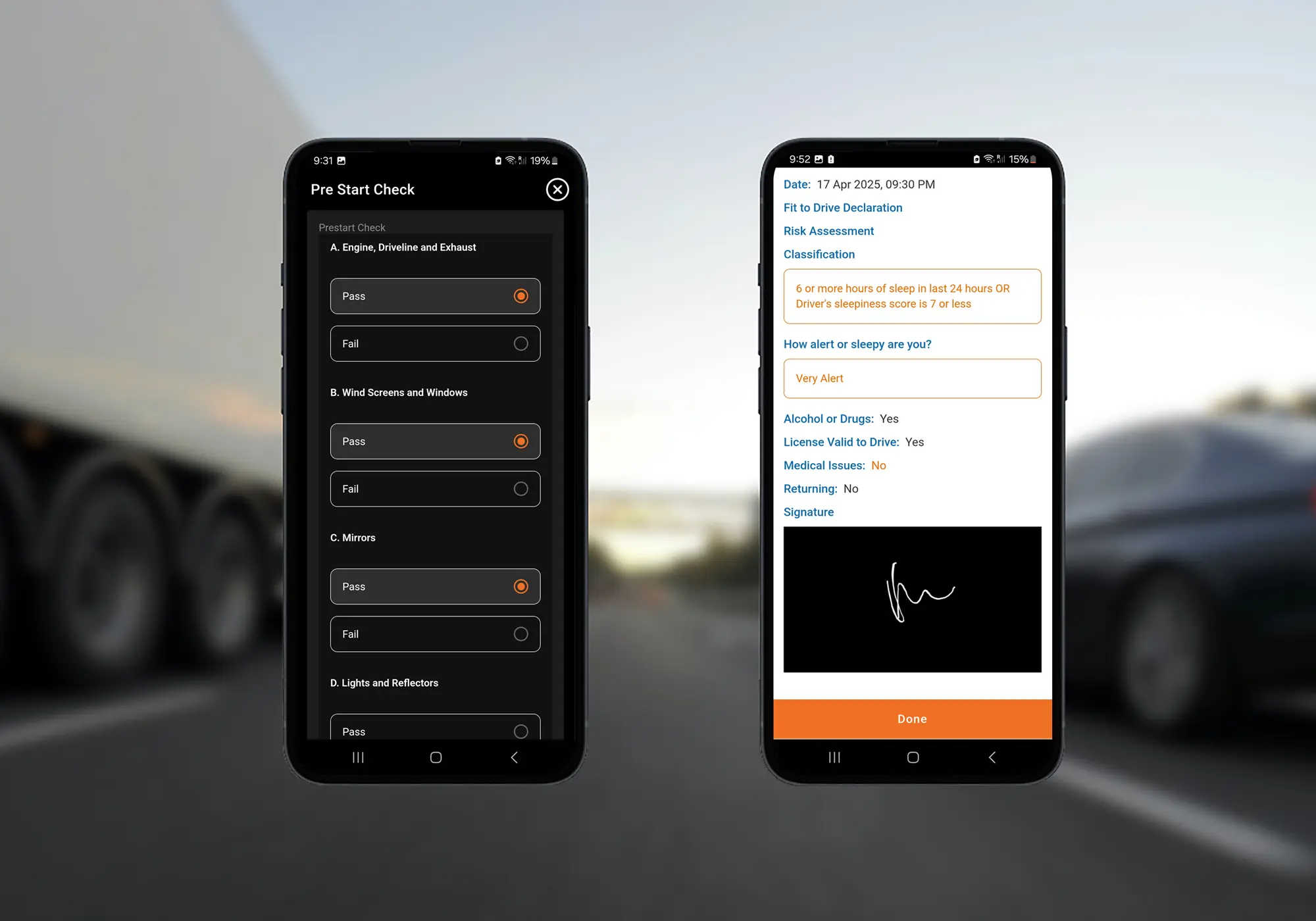
The shift starts with a fitness declaration, where the driver confirms they're fit to drive. Then comes the vehicle pre-start check, in the same app.
Both reach the record keeper straight away and can be exported as PDFs. With those done, the driver taps to start work, and the app records the time and suggests the suburb from GPS.
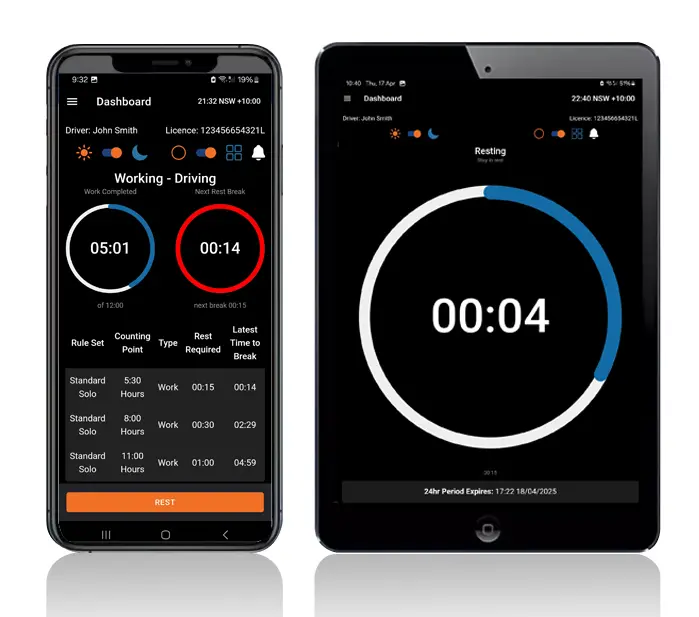
Time remaining until the next break and the end of the day is always showing, worked out against the driver's fatigue plan.
A Nudge Before the Break
Real-time alerts tell the driver a rest break is coming up, before it becomes a breach.
Rest With a Tap
Pulling over for a break is one tap, recorded to the minute, and the next tap starts work again.
Fixing a Slip
If the driver taps the wrong thing, they can edit the entry before the day is signed off.
Checking the Suburb
GPS fills in the suburb at each entry. If it has drifted, the driver changes it to the right place.
Out of Range
With no signal, the app keeps working and sends everything through when coverage comes back.
What Each Screen Means to Each Person
Heavy Vehicle Drivers
Drivers get a short list of taps for each shift and a countdown they can trust, so they're not working out quarter hours on a notepad.
Fleet Managers and Record Keepers
Every tap shows up in the portal as the shift goes on, along with declarations, pre-starts and any potential breaches.
Transport Business Owners
Owners get a daily record of how each shift ran, without having to wait for a diary to come back to the depot.
An App Drivers Use Every Day
More than 10,000 drivers run their shifts in the Logmaster app, which was developed with feedback from people who drive for a living.
Its location data is captured at entries only, and the platform is ISO 27001 certified.
Ending the Shift
Tap to finish work when the last job is done.
Look over the day's entries and correct anything that's wrong.
Sign off at End of Day, which is when any breach is recorded.
Report any incident or hazard from the app before heading home.
Weekly log sheets go to the record keeper, and to any other company the driver works for, without another tap.
One to start the rest and one to go back to work. The app records both times to the minute and the suburb from GPS, which the driver can correct if it's wrong.
Fix it before you sign off the day. New entries can be edited until End of Day sign-off, and a breach is only recorded at that point, so an honest slip can be corrected first.
No. Logmaster doesn't track you between entries. GPS is used only at the moment you record a work or rest event, to suggest the suburb for that entry.
Yes. The last 28 days of records must be viewable on an approved EWD, even without a mobile connection, so you can review your own history and show it to an officer at the roadside.
It goes to your record keeper in real time and is stored with your records. The office can export declarations and pre-start checks as PDFs if they're needed for an audit or review.
Ready to Try the App on a Real Shift?
Book a demo and run through a full shift in the Logmaster EWD app on your own phone.